Comics AI: Comic & Manga Maker
Superapp LabsArt & Design
4.143.00 Reviews
- Version
- 1.1.0
- Installs
- 10.00K
- Age Rating
- Everyone
Screenshots
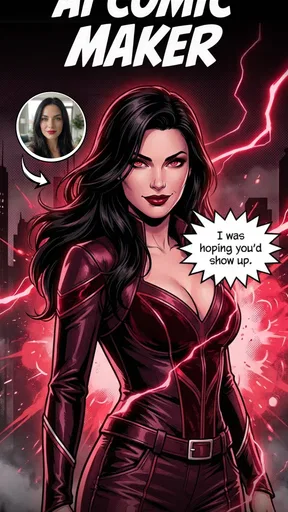
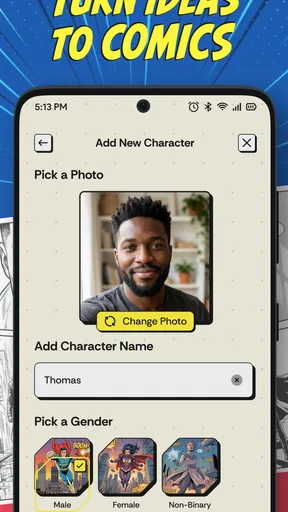
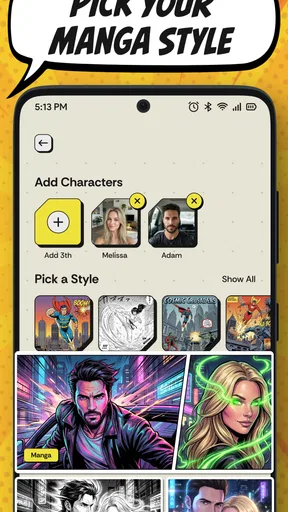
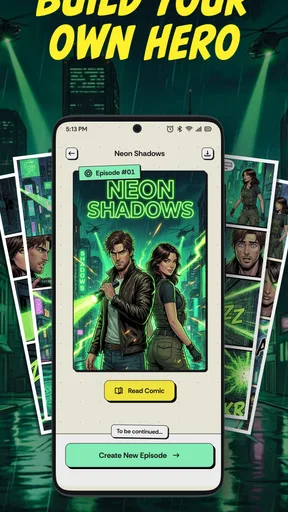
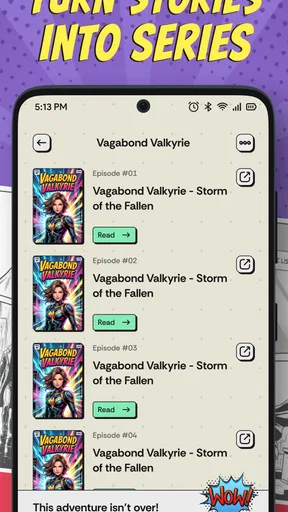
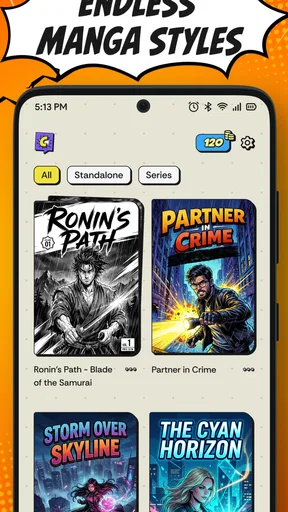
Our Review of Comics AI: Comic & Manga Maker
 Analysis by Appyee
I approached Comics AI: Comic & Manga Maker as a quick way to turn an idea into a comic-style project without starting with a blank canvas. It belongs to the Art & Design category, comes from Superapp Labs, and focuses on AI-assisted comic, manga, and manhwa creation. That makes it interesting for people who want to explore visual storytelling but do not already draw confidently.
My first impression is that this is best understood as an idea-development tool rather than a complete replacement for a professional illustration workflow. It can help you move from a rough concept to something visual, but the quality of the final result still depends heavily on how clearly you plan the characters, scenes, and sequence. If you treat it as a shortcut for thinking, testing, and presenting ideas, it makes more sense than treating it as an automatic comic studio.
How the app fits into an AI comic-making workflow
The app’s central appeal is simple: you can use AI to explore comic-book imagery, manga-inspired scenes, and manhwa-style concepts from a mobile device. That puts it somewhere between a drawing app and an image-generation utility. Traditional drawing apps give you exact control but demand time and skill. A general image generator may produce attractive pictures, yet it often leaves you to solve the harder problem of arranging those pictures into a readable story. Comics AI aims closer to the middle.
That distinction matters. A comic is not just a collection of appealing images. It needs a recurring cast, a clear order of events, readable pacing, and visual continuity. An AI comic maker can help with the first spark, visual references, and rough scene exploration, but it does not remove the need for editorial decisions. I found the most useful mindset was to use each generated result as material to assess, revise, or replace rather than assuming the first output is ready to publish.
The app is free to download and is marked for Everyone, which makes it approachable for casual experimentation and family-friendly creative sessions. Its current version is 1.1.0, and it runs on Android from version 7.1 onward. Those details make it accessible to people using older compatible devices, although the experience of any AI-oriented creative app can still vary depending on the phone and the complexity of the work.
Its early audience is already visible in the store response: the app has an average rating of 4.1 from around 1.5 thousand ratings and has passed 10 thousand installs. I would read that as a sign of genuine interest rather than proof that every workflow is polished. The relatively modest footprint also suggests that users should approach it as a developing creative tool, not as an established replacement for major illustration software.
What you can realistically create with it
The strongest use case is visual prototyping. Suppose I have an idea for a short story about a courier discovering a hidden city. Instead of spending hours drawing the character, the city entrance, and several mood variations, I can use the app to explore how the concept might look as a comic or manga sequence. That helps me decide whether the visual direction feels adventurous, mysterious, humorous, or too crowded before I invest more time.
It can also be useful for planning a personal project. I might create a rough sequence for a school presentation, a social-media story, a character introduction, or a pitch for a longer comic. The important word is “rough.” I would not rely on an AI-generated result alone when exact anatomy, consistent costumes, or precise lettering are central to the project. Those areas are where human editing remains especially important.
A practical workflow is to begin with a short scene rather than an entire graphic novel. Define the location, the characters’ roles, the emotional beat, and the action in plain language. Then compare the results and keep notes about what should remain consistent. If the protagonist wears a particular jacket or carries a distinctive object, repeat those details deliberately instead of assuming the app will preserve them automatically from one scene to the next.
The most valuable habit is separating story decisions from image decisions. First decide what each panel needs to communicate. Only afterward should you worry about whether the composition looks dramatic or whether a particular manga influence suits the moment. This prevents attractive images from taking over the narrative and leaving you with a sequence that looks impressive but is difficult to follow.
Why the free entry point matters
There is no purchase required to get started, so the app is easy to evaluate before spending anything. That is important in a category where screenshots can look more impressive than the actual day-to-day workflow. I would install it, try a small concept, and judge the results against a specific task rather than deciding based only on the promise of AI-generated comics.
The paid side needs a more careful reading. In-app purchases range from $6.99 to $89.99 per item. That is a broad span, so the value depends on which purchase is relevant to your use and how frequently you plan to create. I would not describe the app as automatically inexpensive merely because the download is free. Free access is useful for testing, while paid value needs to be judged by the amount of creative work the app actually saves you.
For someone making one occasional birthday comic or experimenting with a single character, a large purchase may not make sense. For a creator who uses AI drafts repeatedly during brainstorming, the calculation is different. Even then, I would first confirm that the available free experience fits the style and workflow I want. Spending before understanding how well the app handles my own characters would be a mistake.
There is also a difference between paying for convenience and paying for artistic control. If what I need is a fast visual starting point, a paid option may be worthwhile. If I need exact panel composition, dependable character continuity, detailed lettering, or a fully editable illustration, I would put that money toward a conventional drawing or layout tool instead. Comics AI is more appealing when speed and exploration matter more than precise manual control.
Where it saves time, and where it does not
The app’s main time-saving advantage is the early stage of creation. It can help me move past the intimidating blank page and test several directions quickly. That is especially useful when I know the story I want to tell but cannot yet picture the setting, costume, or tone. Seeing a visual interpretation can reveal problems that were invisible in a written outline.
However, AI does not eliminate the slow parts of comic creation. I still need to select useful results, reject weak ones, organize the story, and check whether the images communicate the intended action. If the project includes dialogue, I also need to pay close attention to the relationship between the words and the visual sequence. A beautiful panel that does not advance the story is still a weak panel.
One non-obvious benefit is its role as a communication aid. A writer can use rough visual concepts to explain a scene to an illustrator. A teacher can use a simple comic idea to make a lesson more approachable. A small creative team can compare visual directions before committing to a finished style. In those situations, polish is less important than making an abstract idea easy to discuss.
Another useful approach is to generate variations around one narrative beat instead of asking for unrelated scenes. For example, I might explore the same character reacting with fear, suspicion, and relief. That gives me a better sense of which emotional direction supports the story. It also encourages deliberate editing, because I am comparing alternatives for a reason rather than collecting random images.
The tradeoffs I would consider before paying
AI-generated art brings a built-in tradeoff between speed and consistency. A single image can look convincing while still making it difficult to maintain the same face, clothing, proportions, or visual details across multiple panels. That matters more in a comic than in a standalone illustration. Readers notice when a character changes unexpectedly, even if they cannot explain exactly why the sequence feels wrong.
There is also a tradeoff between style and flexibility. A manga or manhwa-inspired look can give a project a strong identity quickly, but a creator with a very specific personal style may find the result too generic or difficult to control. If I already have a well-defined visual language, I would use this app for references and rough exploration rather than expecting it to reproduce my exact artistic signature.
Text deserves caution as well. In any AI-assisted visual workflow, lettering and small written details need inspection. I would not assume that a generated panel is ready for publication simply because the characters and background look good. For a readable final comic, I would plan to review dialogue, captions, signs, and other text separately and correct anything that distracts from the story.
The mobile format is another practical consideration. Creating on a phone is convenient for quick ideas, but it is not always comfortable for detailed editing or long sessions. I would use the app while commuting, waiting for an appointment, or capturing a sudden idea, then move to a larger-screen tool when the project requires careful layout and cleanup. That combination is more realistic than expecting one mobile app to handle every stage equally well.
Finally, the price range means that casual users and committed creators may view the same app differently. The free starting point lowers the risk of trying it, but the upper end of the purchase range makes it important to understand your own usage before upgrading. I would pay only when the app has demonstrated that it saves me meaningful time on a recurring task.
Who will get the most from it
I think it suits beginners who want to make a comic without first learning every part of digital illustration. It is also a good fit for writers who need visual references, students preparing a creative assignment, and hobbyists who enjoy experimenting with manga or manhwa-inspired storytelling. People who often have story ideas but struggle to visualize them may find the immediate feedback particularly motivating.
It can be valuable for experienced artists too, but in a narrower role. An illustrator might use it to brainstorm camera angles, atmosphere, or alternate costume concepts. A comic creator could use it to test the mood of a scene before drawing a polished version. In those cases, the app complements artistic skill rather than replacing it.
A realistic everyday scenario would be a person developing a short webcomic after work. They have twenty minutes during a lunch break to test a scene in which two friends discover a locked doorway. With the app, they can explore whether the moment works better as suspense, comedy, or fantasy, save the most useful direction for later, and return to a desktop drawing program for the final panels. That is a sensible division of labor: fast ideation on mobile, detailed finishing elsewhere.
I would be less enthusiastic for someone who needs production-ready pages with strict visual continuity, exact typography, or professional print preparation. I would also steer away from it if the main goal is learning to draw from the ground up. A conventional drawing app teaches brush control, anatomy practice, perspective, and composition in a more direct way. An AI tool can help you make images, but it does not provide the same kind of hands-on skill development.
It may also be the wrong choice for users who dislike iterative experimentation. The best results in this category usually come from refining an idea, comparing alternatives, and making editorial choices. If you want a button that reliably creates a finished, coherent comic with no cleanup, this app is unlikely to match that expectation.
How it compares with familiar alternatives
Compared with a traditional drawing app, Comics AI is faster at producing an initial visual direction and less demanding for users who are not confident illustrators. The traditional app wins when I need exact control over every line, layer, correction, and panel boundary. For a finished comic, I would often prefer both: use AI for exploration, then draw or edit manually where precision matters.
Compared with a general AI image generator, this app is more directly relevant to comic-making because its purpose is tied to comic, manga, and manhwa creation. That focus can make the creative process feel less scattered. A general generator may offer broader image possibilities, but it may require more work to turn separate images into a coherent sequence.
Compared with a template-based comic creator, the AI approach offers more freedom when the scene in my head does not fit a preset layout. Templates are often better for predictable panel arrangements, quick captions, and straightforward classroom or social posts. Comics AI is more appealing when I want to explore an unusual setting or visual mood before deciding how the page should be structured.
Compared with hiring an illustrator, the app is obviously more immediate and accessible for early concepts, but it does not offer the same human interpretation, consistency, or collaboration. If the project represents a serious brand, a publication, or a carefully controlled character universe, professional human input remains the stronger choice. The app works best before that stage or alongside it.
My recommendation after weighing the cost and limitations
I would recommend trying Comics AI: Comic & Manga Maker if you want a low-risk way to explore comic ideas on Android and you understand that AI output is a starting point. The free access makes experimentation straightforward, while the Everyone rating keeps the app approachable for a broad audience. Its rating of 4.1 suggests a generally positive reception, but I would still test it against my own characters and storytelling needs before considering an in-app purchase.
I would treat the paid options as a productivity decision, not a requirement for casual creativity. The lower purchase point may be reasonable for someone who repeatedly uses the app to develop concepts, while the higher purchase point deserves much more scrutiny and should be justified by sustained use. Since individual items range from $6.99 to $89.99, I would avoid buying impulsively and first establish whether the app genuinely improves my workflow.
My final view is favorable but specific: this is a promising companion for brainstorming, visual planning, and accessible comic experimentation. It is not the tool I would choose alone for a polished, highly consistent graphic novel or for serious drawing practice. If you want fast visual feedback and are willing to edit, compare, and refine, it can turn vague ideas into something you can actually discuss and develop. If you need total control from the first sketch to the final page, a dedicated drawing and layout setup will serve you better.
For me, the clearest reason to install it is the ability to test a story visually before committing to a long process. That is where the app delivers its strongest value. I would start with one short scene, keep expectations realistic, and spend only after confirming that its particular AI workflow fits the way I create.
Verdict
Strengths of Comics AI: Comic & Manga Maker
- Turns simple prompts into comic-style artwork quickly.
- Offers manga-inspired styles for varied visual results.
- Useful for creating storyboards, jokes, and social posts.
- Beginner-friendly tools require little drawing experience.
- Can help spark ideas when you are stuck creatively.
Limitations of Comics AI: Comic & Manga Maker
- AI results may vary noticeably between repeated generations.
- Character details can change from one panel to another.
- Some advanced features may require in-app purchases.
- Generated text and dialogue may contain spelling mistakes.
- A stable internet connection may be needed for image creation.
Other Releases by Superapp Labs
View All
AI Photo Generator - AURA AI
Photography4.3

AI Logo Maker, AI Design: Hexa
Art & Design4.4
Similar Picks in This Category
View All
Canva: AI Photo & Video Editor
Canva4.8

PENUP – Drawing-sharing SNS
Samsung Electronics Co., Ltd.4.5

Crafto
Kutumb App4.6

Sketchbook
Sketchbook4.1

ibis Paint X
ibis inc.4.5

Adobe Express: AI Photo, Video
Adobe4.6
Frequently Asked Questions
What is Comics AI: Comic & Manga Maker, and what can I create with it?
Comics AI: Comic & Manga Maker is a creative app designed for producing comic strips, manga-style pages, and illustrated stories with the help of artificial intelligence. You can generally start from a text idea, choose a visual style, generate characters or scenes, and arrange panels into a finished page. It is useful for beginners, social media creators, writers, and anyone who wants to experiment with visual storytelling without drawing every element manually.
Do I need drawing or design experience to use Comics AI: Comic & Manga Maker?
No advanced drawing skills are usually required. The app is built around guided creation tools, templates, prompts, and automated image generation, so beginners can develop a comic by describing characters, settings, actions, and dialogue. However, producing consistent characters and polished page layouts may take some practice. Users who already understand composition, storytelling, and panel sequencing will likely get better results, especially when editing generated artwork.
Is Comics AI: Comic & Manga Maker free to download and use?
The application may be available as a free download, but some features can be restricted by credits, advertisements, subscriptions, or in-app purchases. AI image generation, premium styles, high-resolution exports, and additional editing tools are commonly placed behind a paid plan or limited usage allowance. Before creating a large project, check the current pricing, renewal terms, credit system, and whether exported comics include watermarks or other limitations.
Can I use the comics I create commercially or publish them online?
You may be able to share your creations on social networks, websites, or personal projects, but commercial usage depends on the app’s current license terms and the policies of the AI services it uses. Generated images may also raise questions about copyrighted characters, celebrity likenesses, logos, and training-data restrictions. Review the in-app terms before selling a comic, printing merchandise, or using generated artwork in advertising or other commercial content.
Does the app keep my prompts, images, or personal information?
Because AI creation tools often process prompts and images through online servers, you should assume that some project data may be uploaded for generation, storage, synchronization, or service improvement. Read the privacy policy to understand what information is collected, how long it is retained, and whether content is shared with third-party providers. Avoid submitting private photographs, confidential story material, or personal information unless you are comfortable with the stated data practices.
